Features
Everything in the app, area by area.
Keepix is a photo and file app for Android and iPhone. It shows your phone's photos in a gallery, backs them up at original quality to your own Telegram account, and lets you browse, organise, download and delete everything from one place. Here is each part of the app as it exists today, in version 1.0.
Sign in with Telegram
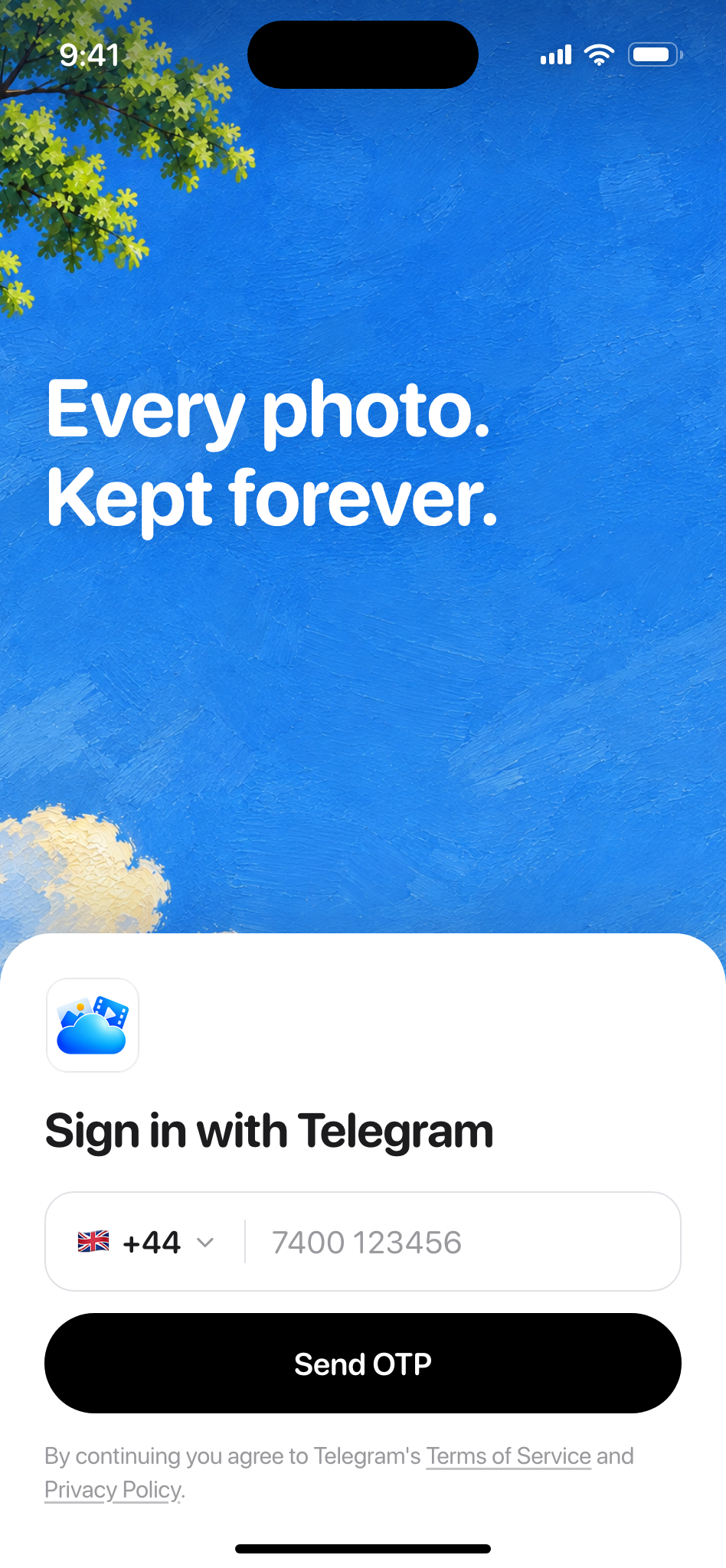
Phone number, the login code Telegram sends, and the two-step password if one is set. It must be an existing Telegram account; the app cannot create one.
A country picker
218 countries to choose from, then your phone number.
Codes the way Telegram sends them
Through the Telegram app, by SMS or by phone call.
Paste and autofill
The code boxes accept paste and one-tap autofill.
Two-step password
Asked for only if your account has one turned on.
Sign in once per phone
The session persists, and a wrong code is never retried automatically.
Not supported: Creating a new Telegram account, QR sign-in, email sign-in, Apple or Google sign-in. If your number has no Telegram account yet, create one in the official Telegram app, then sign in here.
One timeline
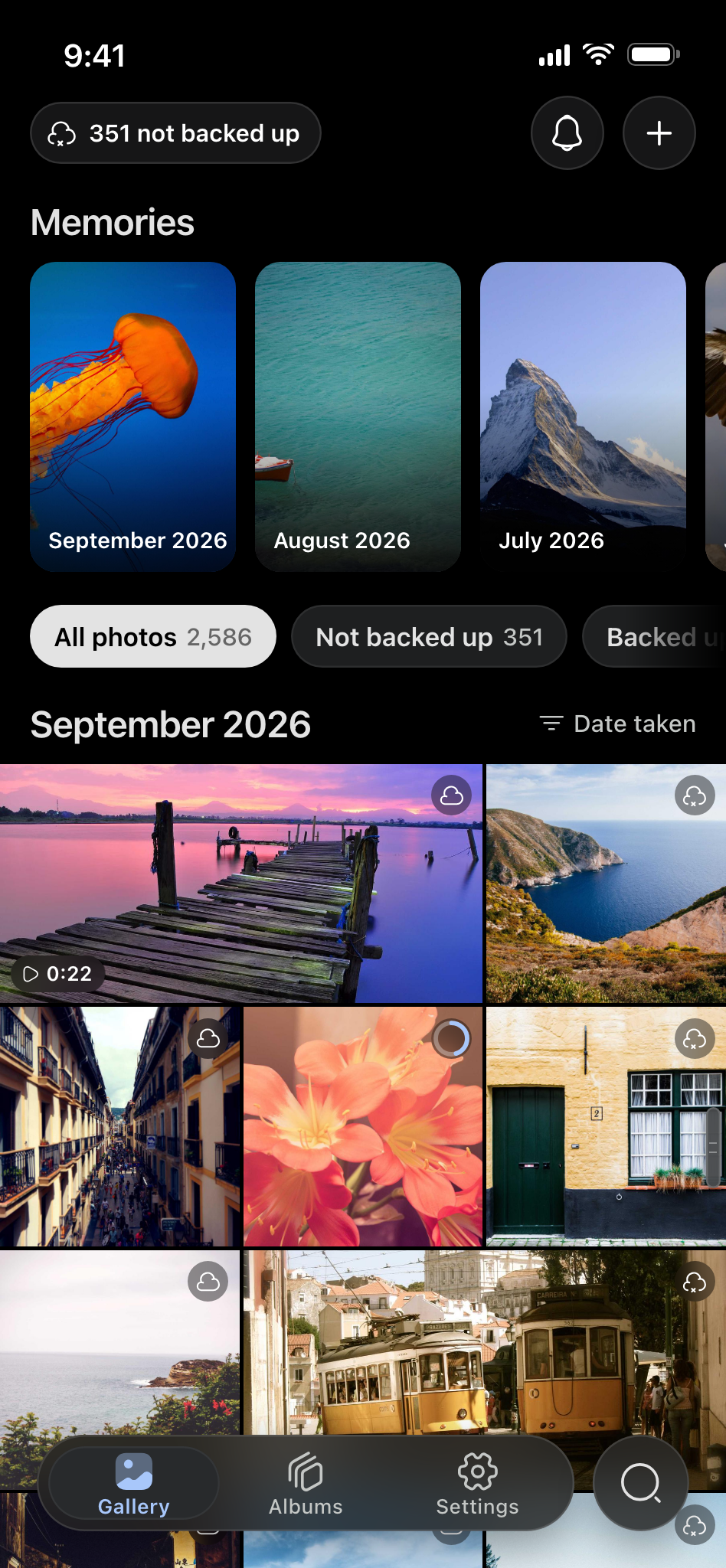
The gallery shows your phone's camera roll and everything already backed up, merged and sorted by when each photo was taken. Looking at the library uploads nothing.
Phone and cloud in one list
Cloud-only photos still appear, with instant blurred thumbnails.
A backup badge on every tile
A cloud with a cross means not backed up, a progress ring means backing up, a plain cloud means backed up. Videos carry a play icon.
Month headings and fast scroll
“September 2026” headings, plus a scroll handle with a Month Year bubble.
Sort and filter
Date taken or Date added, remembered. Filter All photos, Not backed up or Backed up, each with a count.
A three-column grid
Landscape photos take two columns, portraits one, with 2 pt gaps.
Multi-select
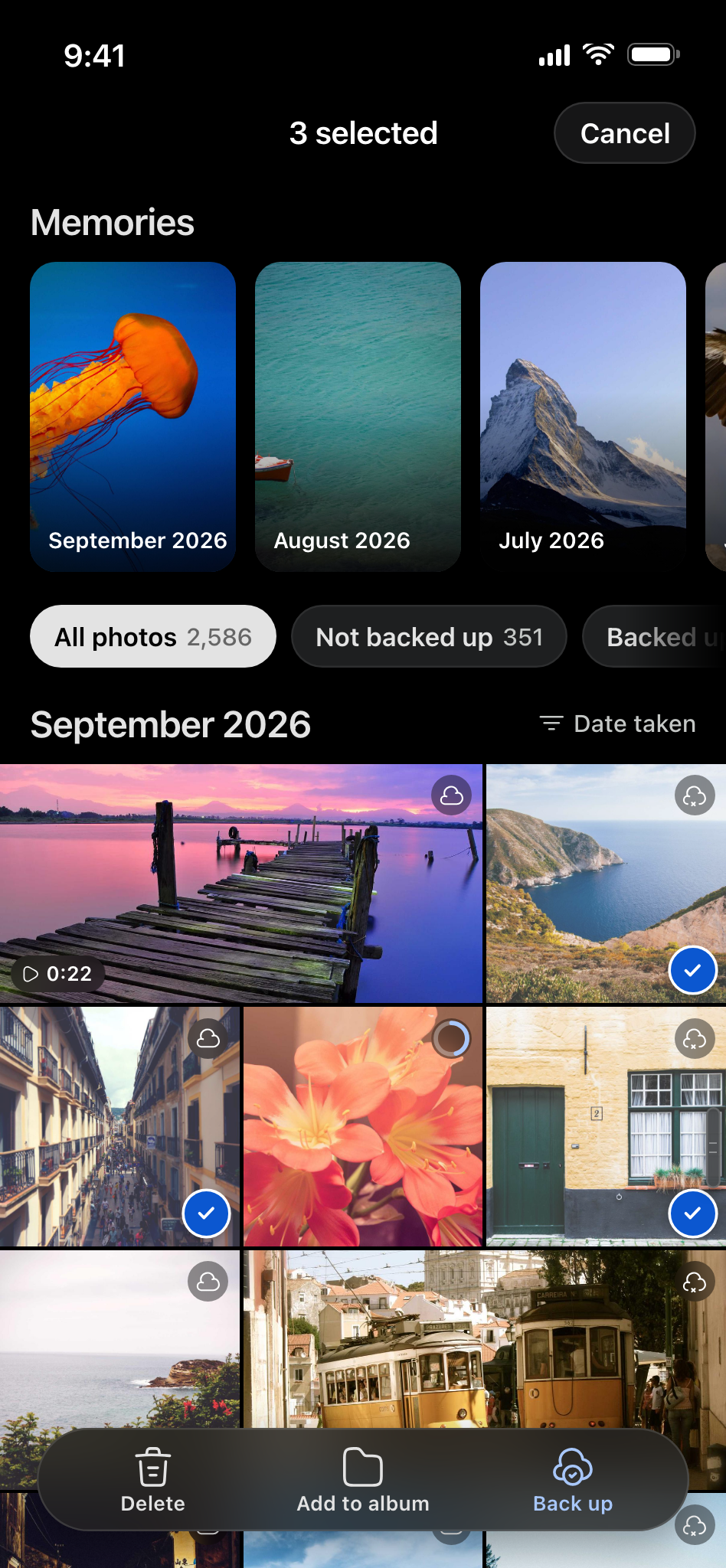
Long-press to select, then Delete, Add to album or Back up.
Limited photo access
Works when you share only some photos with the app.
Back up what you choose
One photo or a selection. The original file goes up, never a compressed copy, into a private channel in your own Telegram account.
Back up now
In the viewer, with a live percentage.
A selection at once
Pick several photos and follow one progress notification.
Original quality, real file name
IMG_4021.HEIC stays IMG_4021.HEIC: the exact original file, never a compressed copy.
Streamable video
Backed-up videos stream when you play them from the cloud.
Stop and resume
Stop a backup and pick it up again later.
Any phone, same library
Sign in on another phone and the same photos are there.
2 GB per file, no cap on the total
4 GB per file with Telegram Premium. The allowance is Telegram's and can change.
Not yet: Automatic backup of new photos. Today every backup starts from your tap; automatic backup is planned.
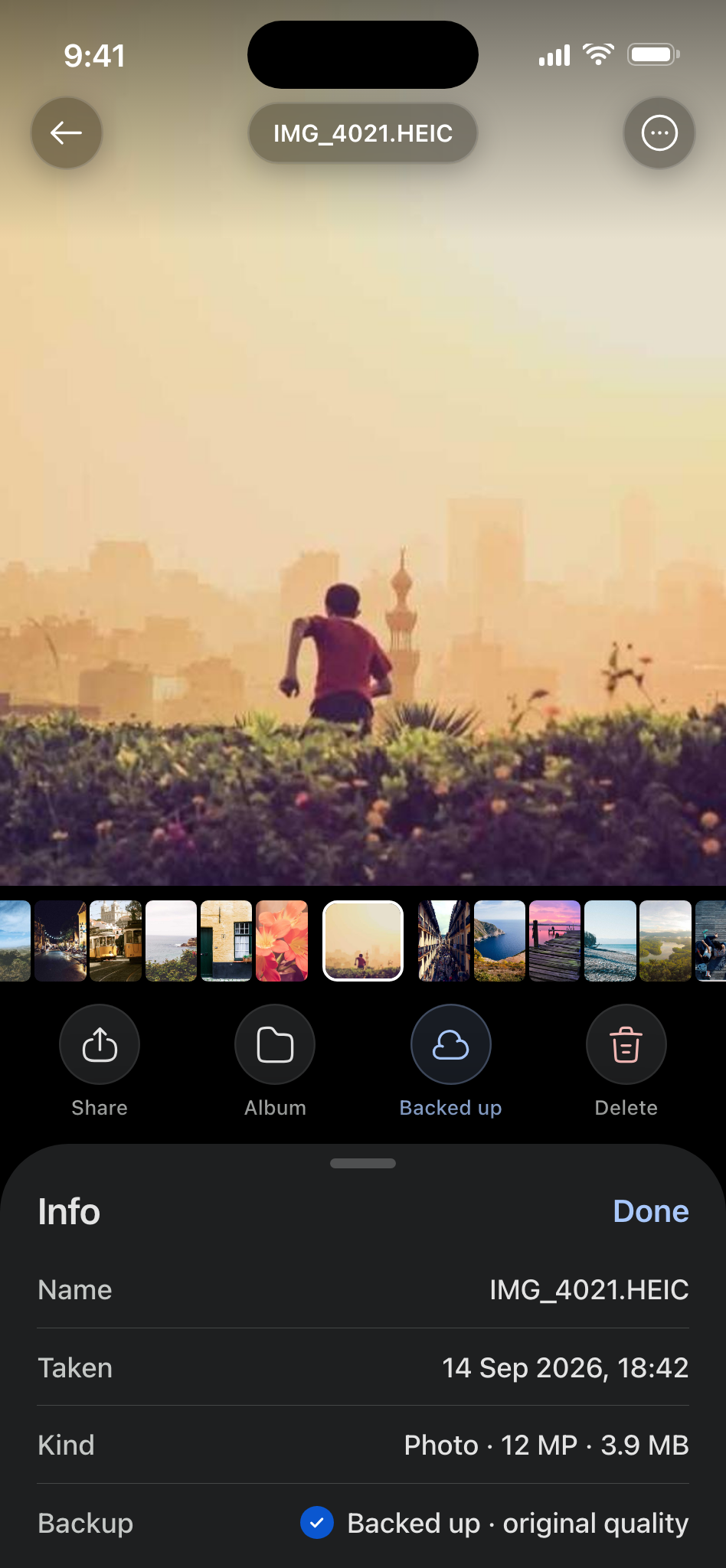
The photo viewer
Open a photo from its tile and it animates up from the grid. Everything else is a gesture away.
Gestures
Swipe sideways, pull down to close, swipe up for details, tap to hide the controls.
Zoom up to 16x
Pinch or double-tap.
Filmstrip
A filmstrip for moving between photos.
Actions
Share, Add to album, Delete and Back up.
Info sheet
Name, date taken, kind and backup state.
Video
Play, pause, scrub and mute. Cloud-only videos stream.

Memories
A row of tall month cards sits at the top of the gallery, newest first. Tap one to replay the month as a story.
Up to 12 photos a month
Four seconds each, with a segmented progress bar.
Tap, hold, pull
Tap to skip, hold to pause, pull down to close.
Rolls into the next month
Keep watching and the story continues.
Limits: Videos appear as a still frame, and cloud-only photos play at thumbnail quality.
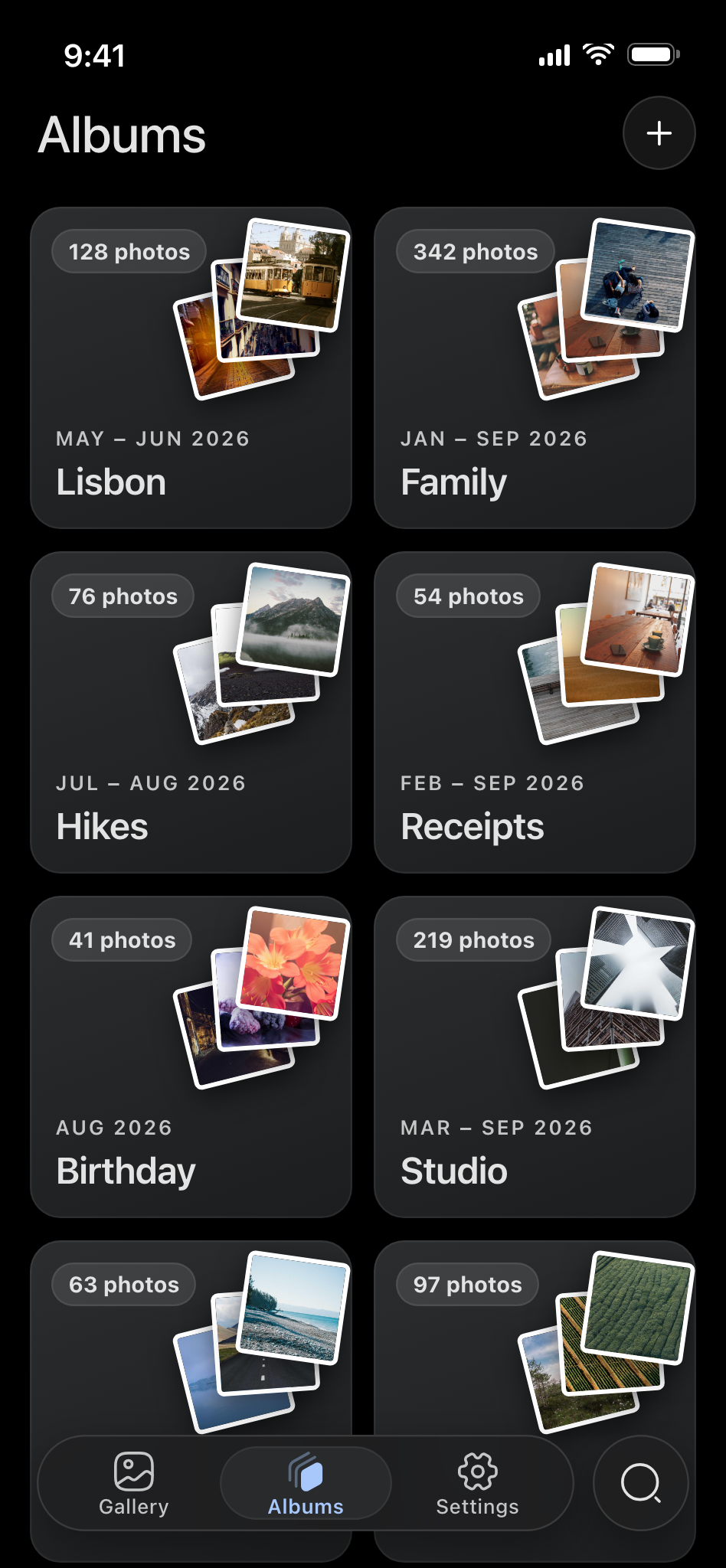
Albums that follow your account
Albums are stored in the same Telegram channel as your backups, so a second phone signed in to your account shows the same albums.
Create, rename, delete
Deleting an album never deletes photos: “The album is removed. Your photos stay in your backup.”
Poster cards
A count, the name, a date range and up to three photos fanned like prints.
Add from anywhere
From a selection, from the viewer or inside the album.
Adding backs up
Adding a photo that is not backed up yet backs it up.
Album-only viewing
Browse one album on its own.
Not yet: Reordering albums and choosing a cover.
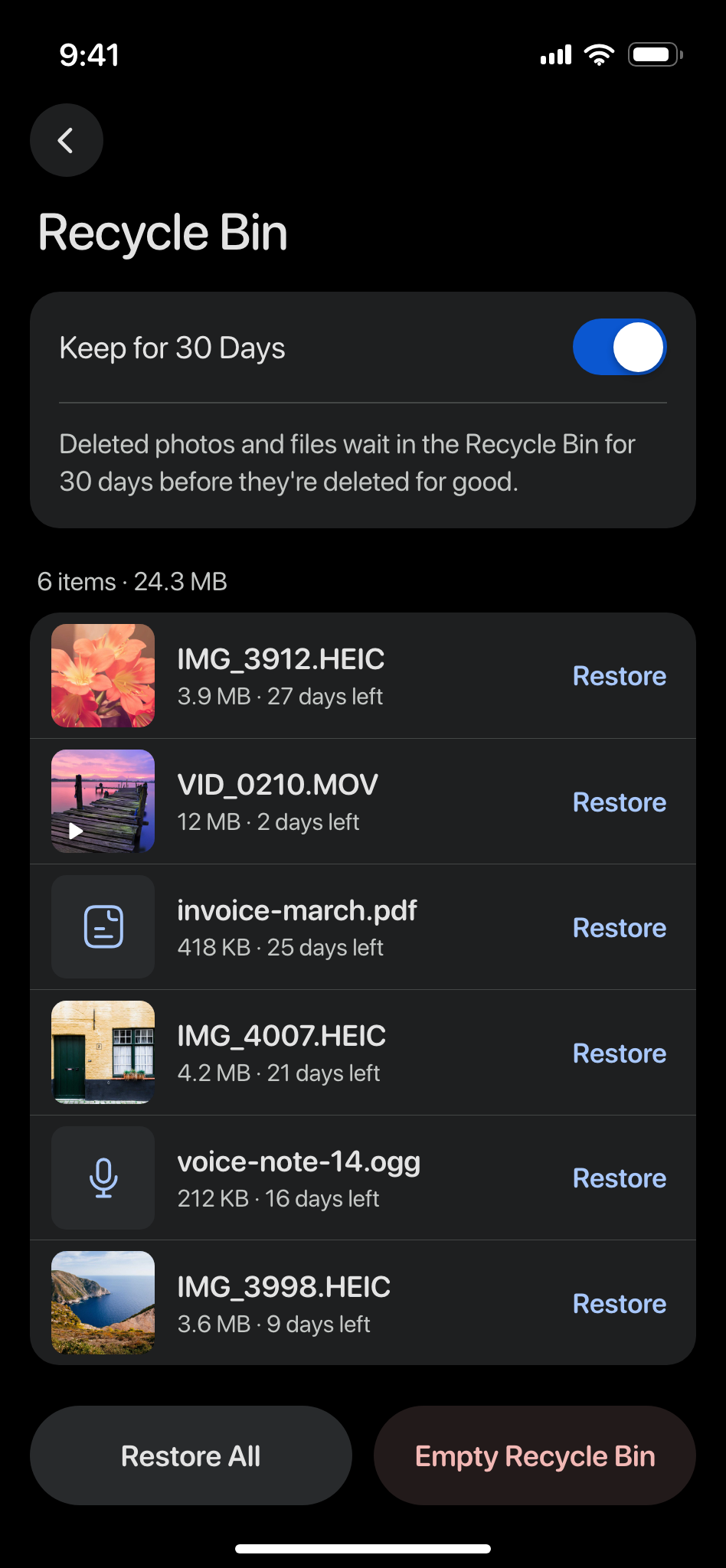
A 30-day Recycle Bin
Deleted photos and files wait in the Recycle Bin for 30 days before they're deleted for good.
An honest delete dialog
Choose the phone copy, the backup, or both, with two confirmations.
Keep for 30 Days
On by default. Every item shows a countdown, red for the last three days.
Restore keeps albums
Put an item back and it returns to its albums.
Restore All or Empty Recycle Bin
Or Delete Forever, one item at a time.
Kept per phone
Android 11 and newer use the phone's own trash; iOS keeps its own copy. The bin does not sync between phones.
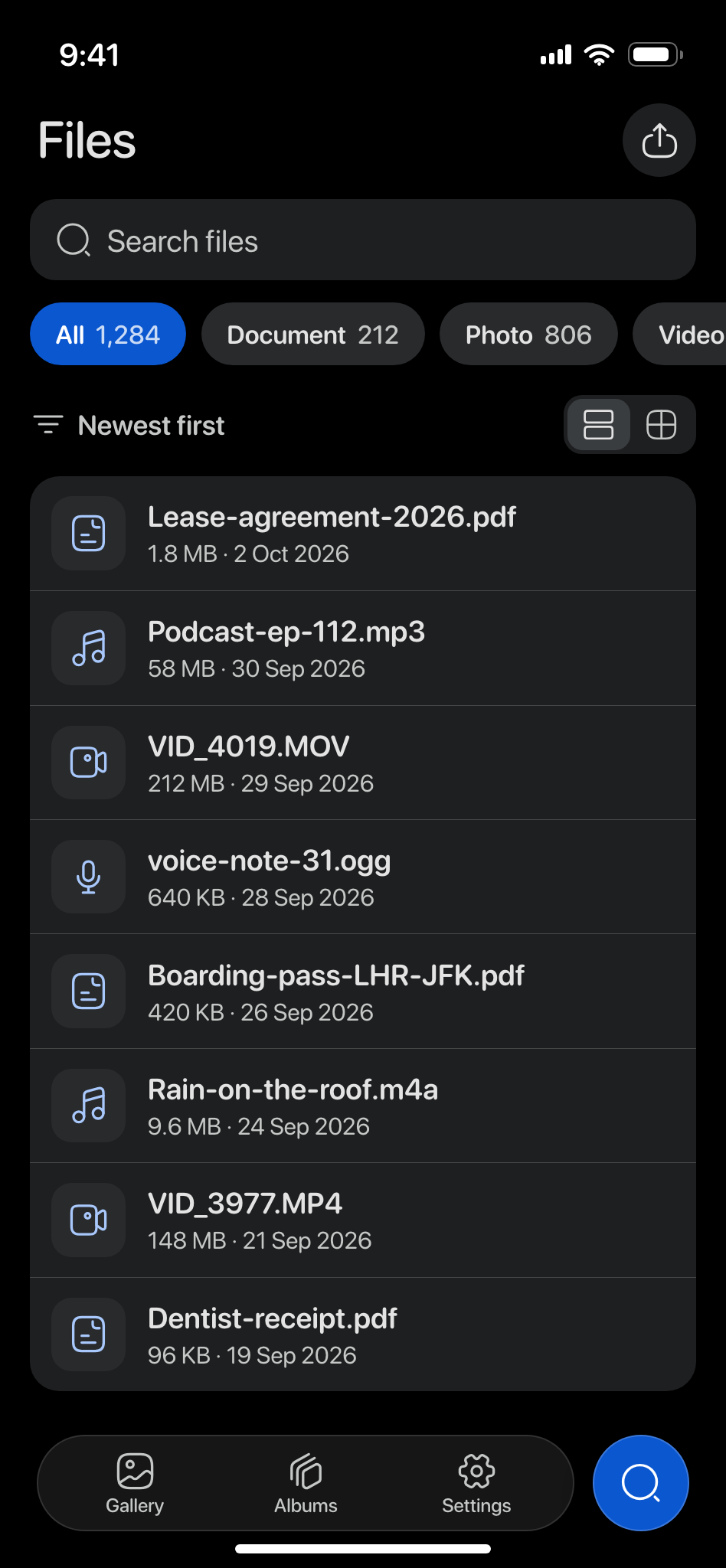
Files, not just photos
Documents, audio, video, voice notes and more, kept in the same account and reachable from the Search tab.
Any file type
Documents, audio, video, voice notes and more.
Filter chips with counts
Document, Photo, Video, Audio, Animation, Voice note and Video note.
Sort and search
Sort by name, size or date; search by file name.
List, grid or photo wall
Switch between a list and a grid, or open the “All Files” photo wall.
Upload and download
Upload from the file picker; download one file or many.
Rename and delete
Deleted files go to the Recycle Bin.
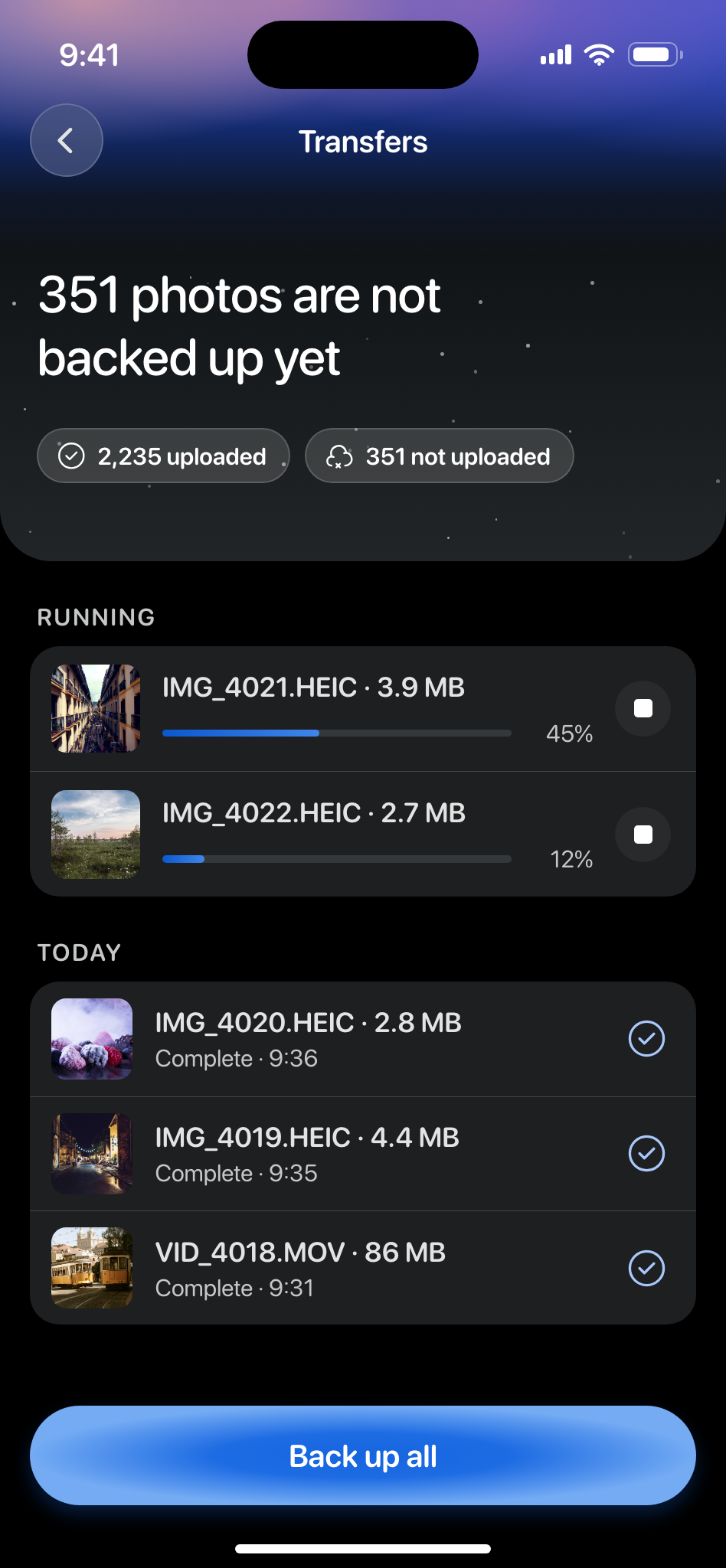
Transfers you can see
“Everything is backed up” or “351 photos are not backed up yet”: the Transfers screen keeps the count and shows every upload and download while it runs.
Counts that add up
“2,235 uploaded” and “351 not uploaded”, with live progress per transfer.
Upload history
The last 60 transfers, grouped by day. It survives a reinstall.
Android keeps going
A backup continues in the background with a progress notification. Cancel from the notification.
iPhone shows a Live Activity
Progress on the lock screen and in the Dynamic Island. On iOS below 26 the transfer pauses about 30 seconds after you leave the app and resumes when you return.
Settings
Your account, the look of the app, storage and the Recycle Bin in one place.
Account
Your name, and your username or phone number.
Theme
System, Light or Dark.
Storage
The cache size and Clear Cache, which never deletes a backup.
Recycle Bin
The bin itself and the Keep for 30 Days switch.
Storage and network statistics
What the app stores and transfers, in numbers.
Log out
Signs this phone out. Your backups stay in your Telegram account.
Get the app
Free on Android and iPhone.
Nothing to migrate.
Android 8.0 and newer, iOS 18 and newer, iPhone and iPad.